The launch: New Hybrid Search in MediaBank

Friday, January 2, 2026

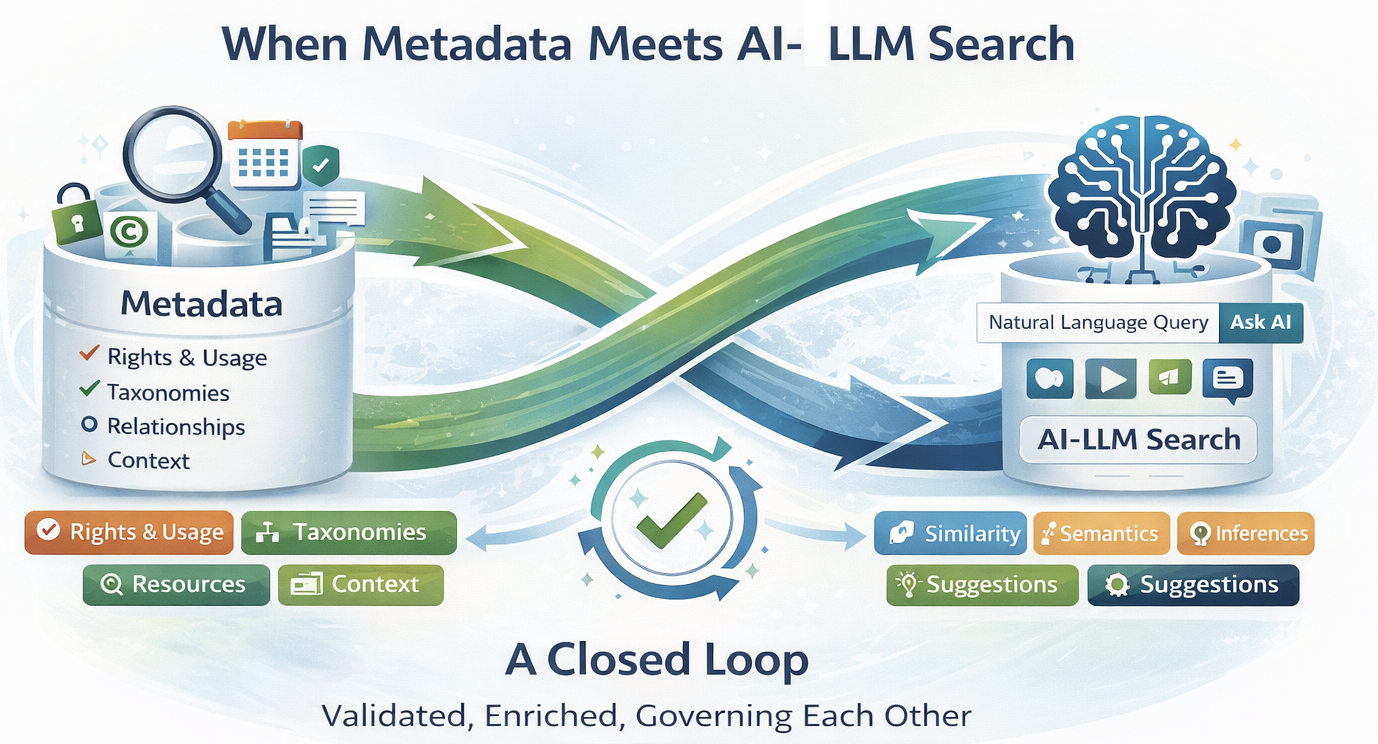
Image of metadata meets AI LLM search created by ChatGPT 5.2

MediaBank is starting fresh 

For the first time, it combines our visual AI search and data-based search into a single index. The result: hits that really understand what you're looking for, not just what you're typing.

With this hybrid search update, blind trust in search results is a thing of the past. Anyone entering a keyword in MediaBank should no longer have to guess why a particular image appears. The new tile view brings clarity — showing at a glance why a result is displayed.
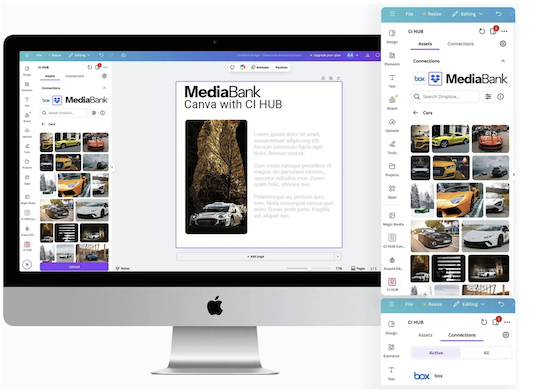
Integrating Canva with MediaBank is the perfect fit for creatives.

Friday, January 2, 2026

​​​​​​​

Browsing in Canva Made Easy

Browse and access your DAM MediaBank - all within Canva, all at the same time in one plugin. Give your team instant access to all your creative content and assets. With the CI-HUB Canva integration, you can effortlessly access your MediaBank assets directly from your favorite application. Search, edit, and save your assets back to MediaBank , all within the tool you already use.

Transform your workflow: Empower your team with MediaBank's accessible content

Wednesday, December 10, 2025

arguments for managing mediafiles

MediaBank platform is all about helping organizations access and distribute the right content at the right moment. Users can quickly find what they’re looking for, while admins get powerful insights and data on usage, trends, and needs so everyone can maximize their assets and make a bigger impact.

Lets look into arguments aimed at marketing and IT:

Building a MediaBank that works for everyone requires folders, categories, albums and keywords

Wednesday, January 22, 2025

When it comes to media banks or digitala asset management, it’s interesting to see how every media library is truly different. DAM structure and taxonomy create a media library that is tailored to its users. Every library needs structure in order for its users to properly understand how to use it.


Structure is everything

Without clear, logical organization, teams can waste countless hours searching for files, recreating assets, or accidentally using outdated versions. A well-structured media bank leverages folders, categories, albums, and keywords—each playing a unique role:

How to create and bring into being a functional image archive in a media bank

Monday, September 2, 2024


This is a Workflow Guide for building a Digital Image Archive in a media bank (Digital Asset Managment)

If your images are scattered across different devices and cloud services, it can be challenging to keep them organized. Start by gathering all your images in a central location, such as a media bank (DAM). This makes it easy to organize, find, and share images, ensuring everything is manageable from one place.

When building a digital image archive in a media bank, it’s important to follow a systematic workflow to make the images easy to find and use across the entire organization. A good media bank is one that is actively used and functions as your smart media room. Below is a step-by-step guide to help you effectively organize and describe your images.

1 – 5 / 16